App Accelerator for the VMware Tanzu Developer Platform
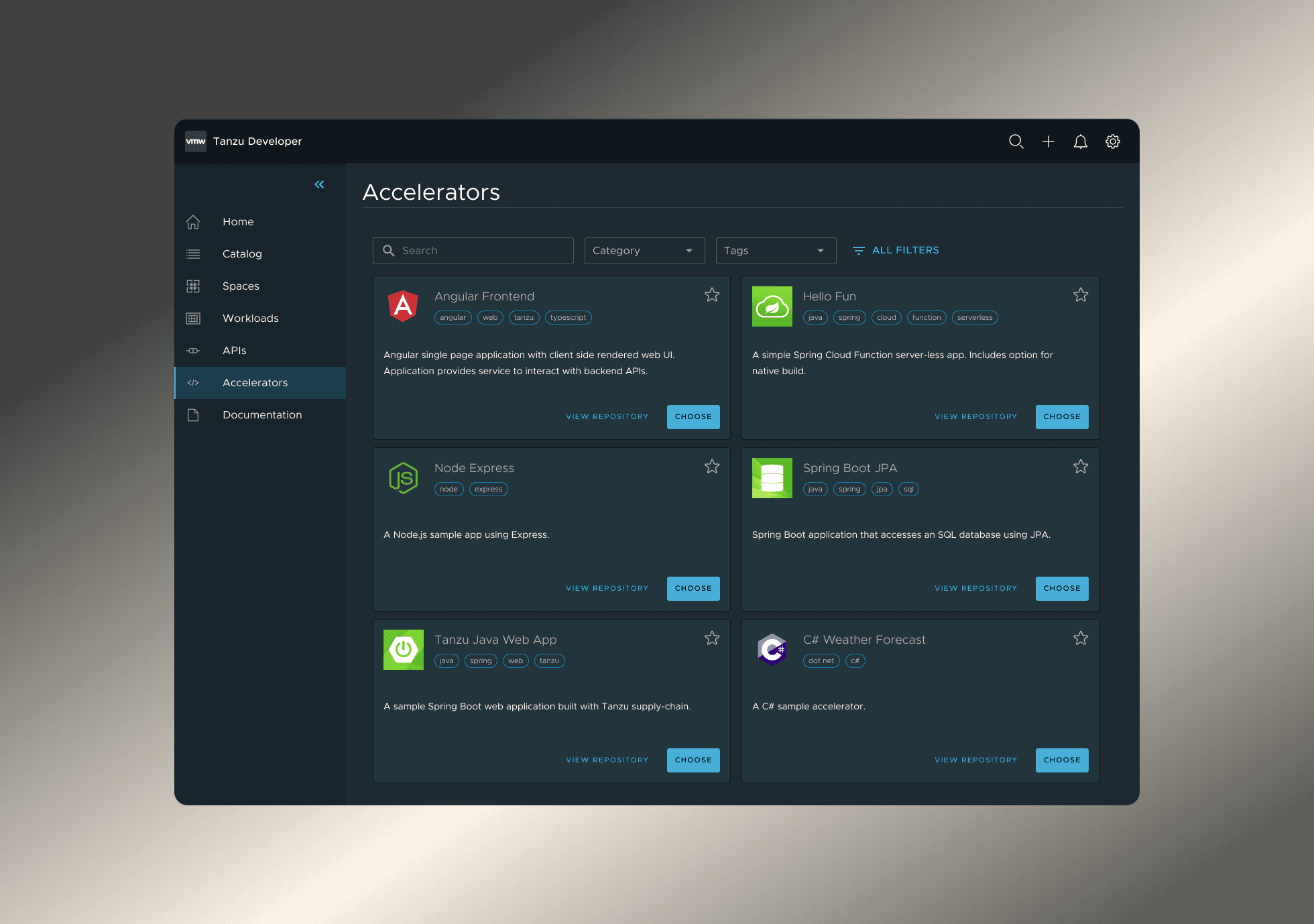
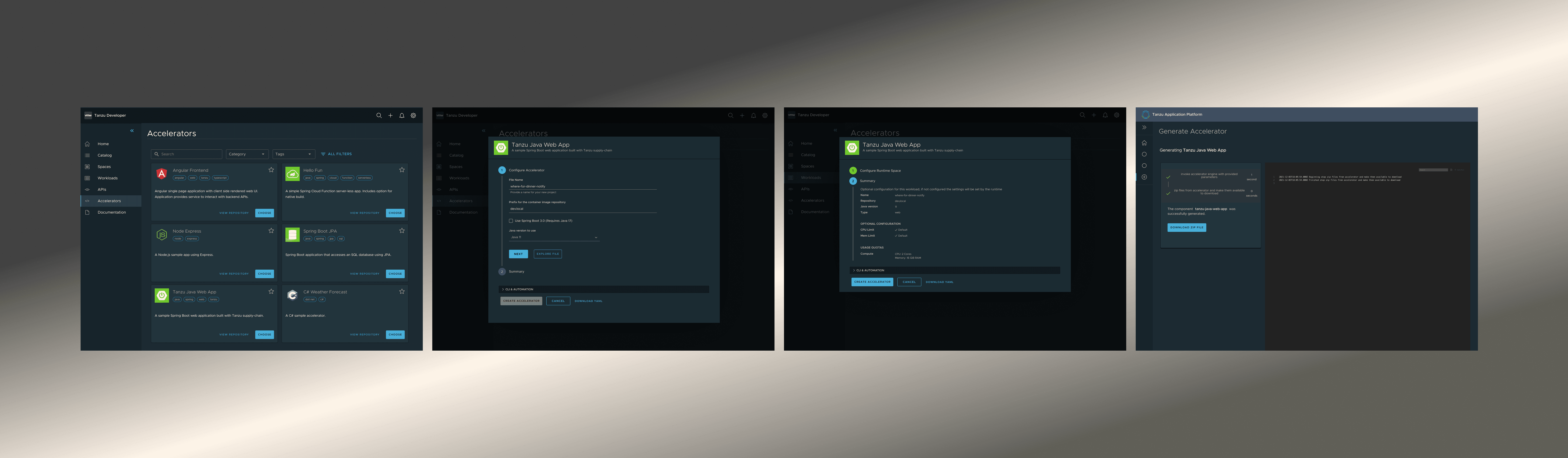
Accelerating how developers start new apps by simplifying complex setup into an intuitive, guided workflow—delivered through the Tanzu platform and embedded in everyday developer tools like VS Code and IntelliJ.
6 months
1 UX Designer
2 PMs
8 Engineers
Tanzu Dev Platform
VS Code - IDE
IntelliJ - IDE
Enterprise Cloud Computing
Challenge
Developers had to navigate a long, manual setup process that varied between teams. Without a consistent starting point or clear guidance, new projects often launched with missing configurations or non-compliant code—creating rework, delays, and frustration. The challenge was to create a simple, unified workflow that developers could rely on every time.
My Contributions
As the main UX designer for App Accelerator, I joined the project after the initial setup existed in the Tanzu platform and expanded it with a clearer, more intuitive experience, while designing the IDE workflows from the ground up. I shaped the end-to-end flow for how developers discover templates, configure options, and generate new projects across both environments. I led user research, translated insights into actionable requirements, and simplified a complex, technical setup process into an easy, guided workflow. I created the core interaction model, unified patterns across web and IDEs, and partnered closely with product and engineering to align on feasibility and implementation. Through iterative testing and refinement, I delivered a streamlined, scalable experience that significantly reduced developer setup time.
Results
By offering App Accelerator in both the Tanzu platform and the IDEs developers already use, teams could start new apps instantly—without switching tools, searching for templates, or manually setting up project files.
1. Faster project creation
Developers could generate a new, fully configured app in seconds instead of hours.
2. Less tool-switching
They no longer had to jump between internal portals, docs, Git repos, and their IDE—everything happened where they were already working.
3. Better consistency across teams
Projects were created with the correct structure, dependencies, and enterprise standards from the start.
4. Smoother onboarding
New developers could start contributing immediately without needing deep system knowledge.
Seamless Integration into IDEs
Challenge
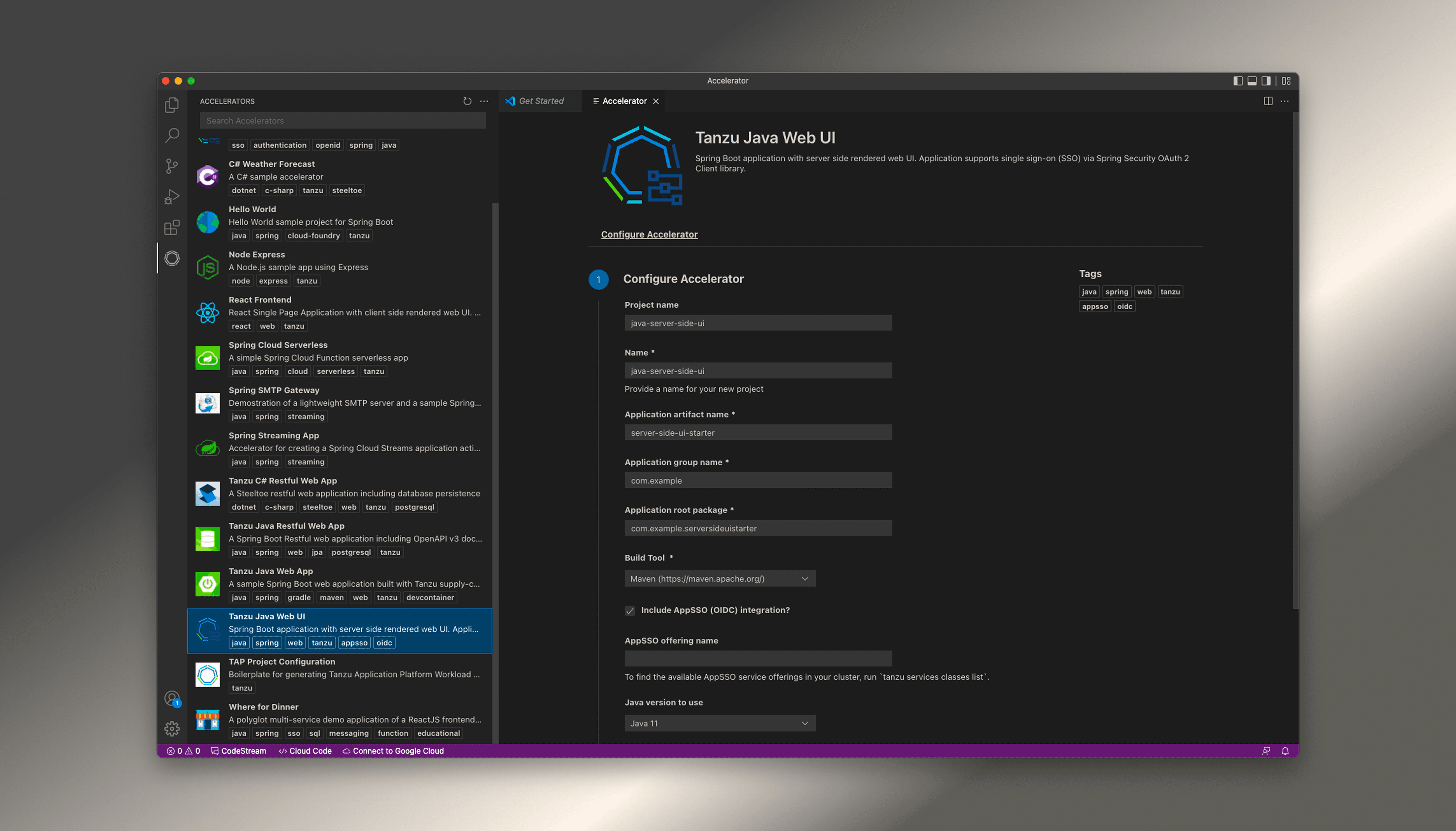
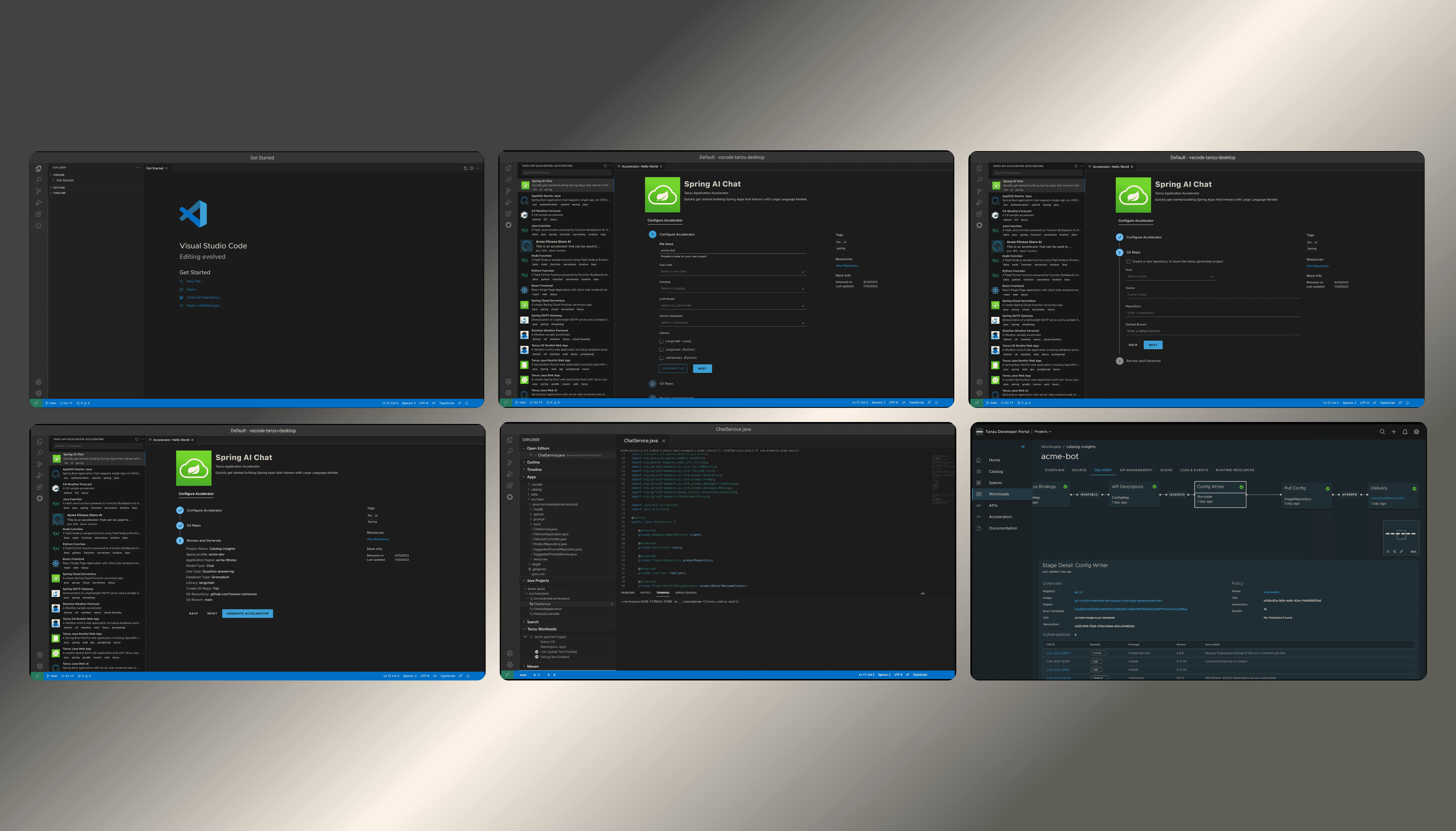
Developers relied heavily on VS Code and IntelliJ as their primary workspaces, yet App Accelerator was only available through the Tanzu platform. This meant developers had to leave their coding environment, search for templates elsewhere, manually download files, and then set everything up inside their IDE. The experience was slow, fragmented, and inconsistent—creating friction, duplication, and unnecessary context switching.
Impact
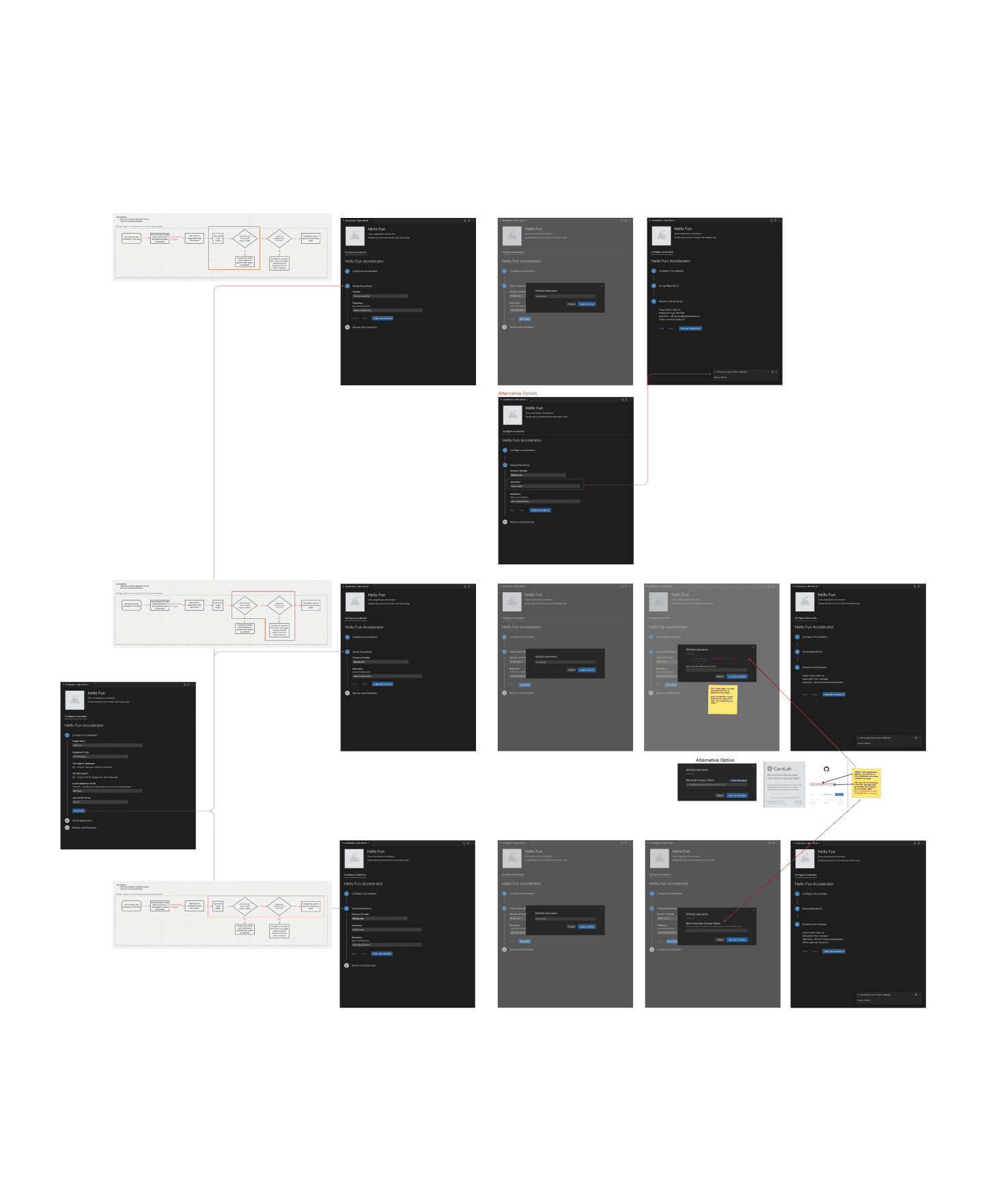
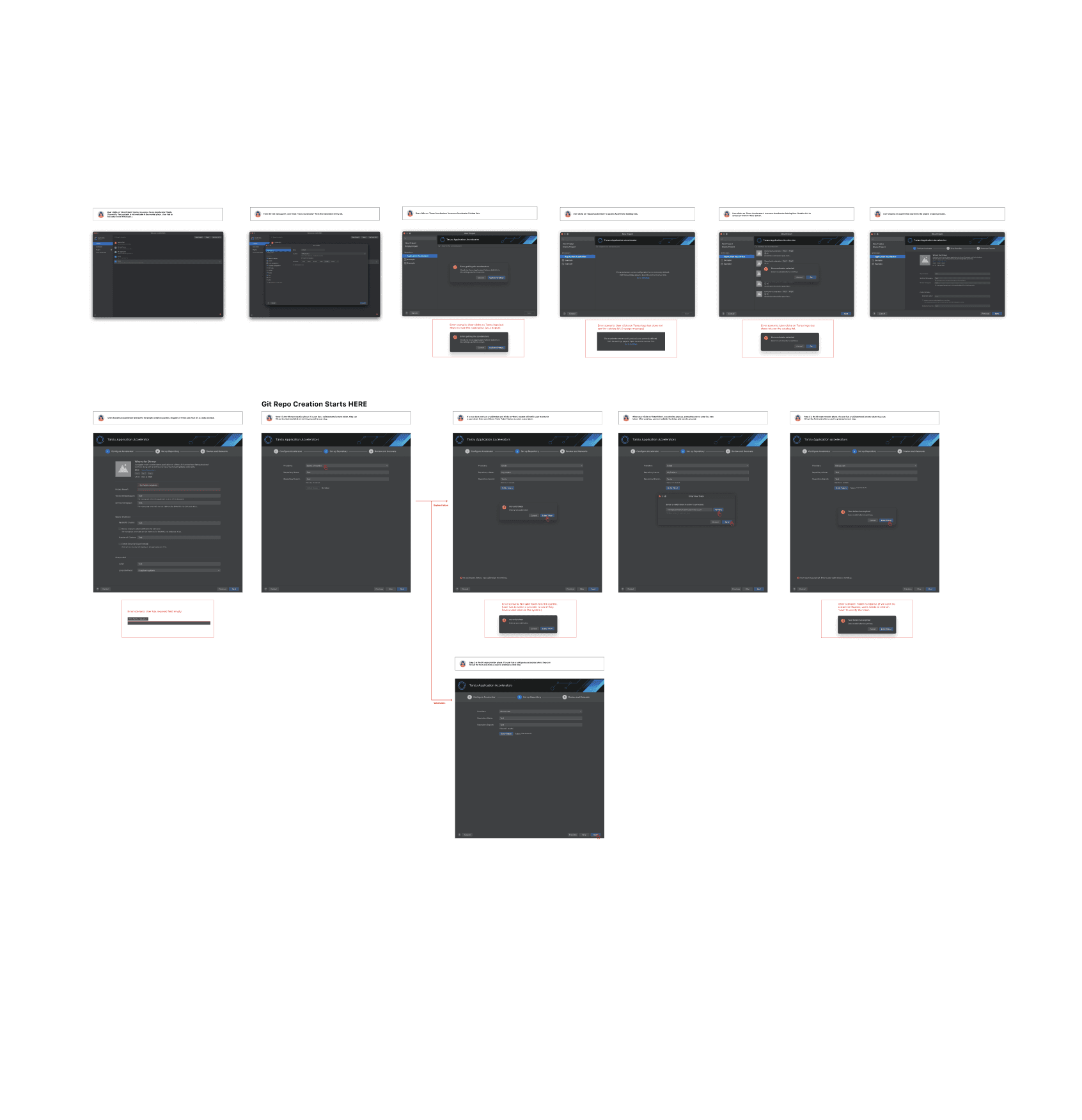
By designing a fully native experience in both VS Code and IntelliJ, developers could now discover templates, configure inputs, and generate new projects without ever leaving their workspace. This seamless integration dramatically reduced setup time, improved developer satisfaction, and ensured every new project followed enterprise standards automatically. Platform teams benefited from fewer support issues, while organizations gained faster, more consistent project creation at scale.
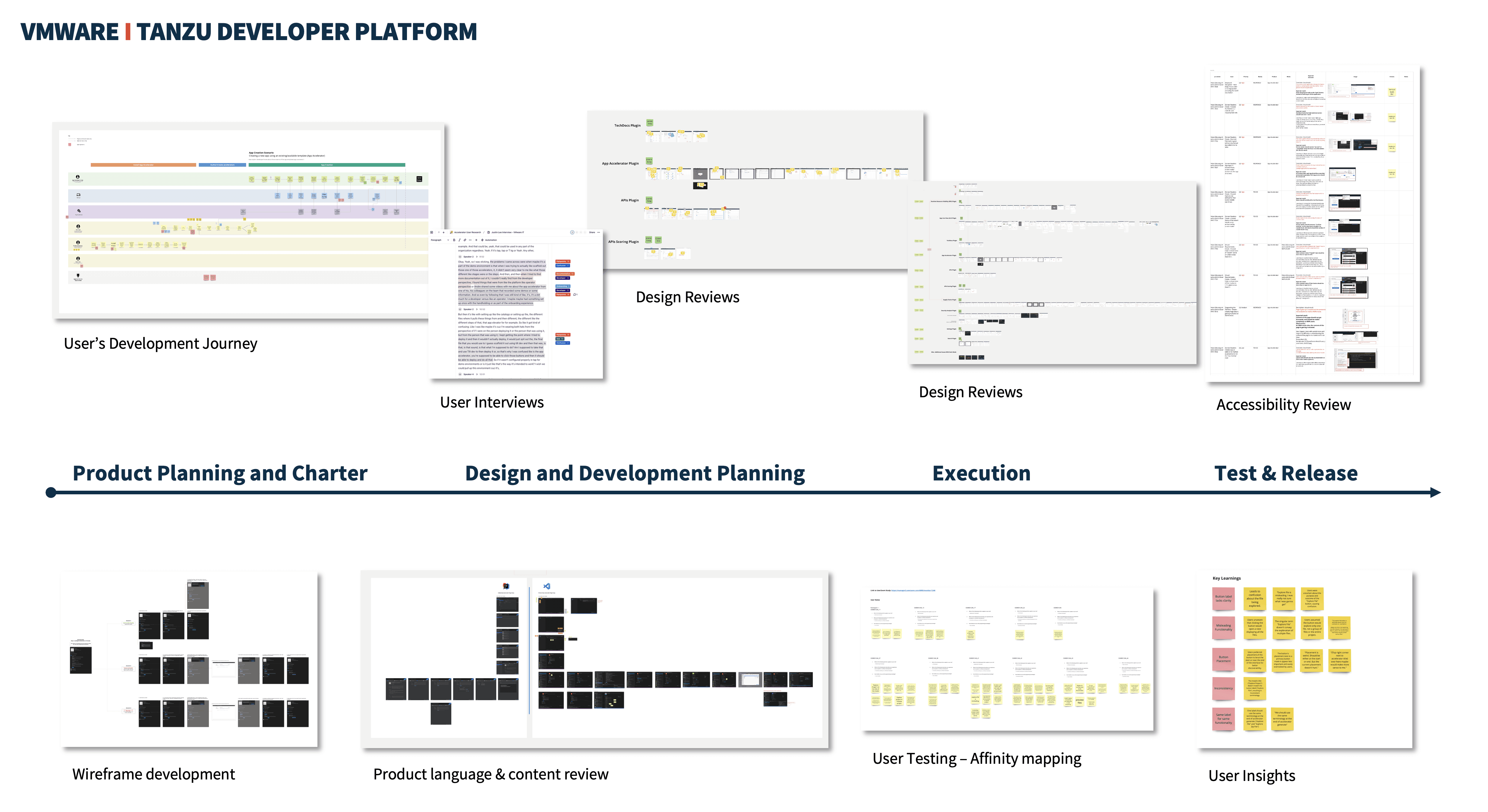
My UX Workflow: From Discovery to Release
My UX process followed a full end-to-end, research-led approach. I began by mapping the developer journey and conducting user interviews to uncover key pain points, then used those insights to guide wireframes, content decisions, and alignment on the product direction. Throughout design and development, I collaborated closely with PMs and engineers, running design and accessibility reviews to ensure feasibility. I validated the experience through user testing and affinity mapping, refining the workflow based on clear user insights. This iterative process ensured the final solution was intuitive, consistent, and grounded in real developer needs.